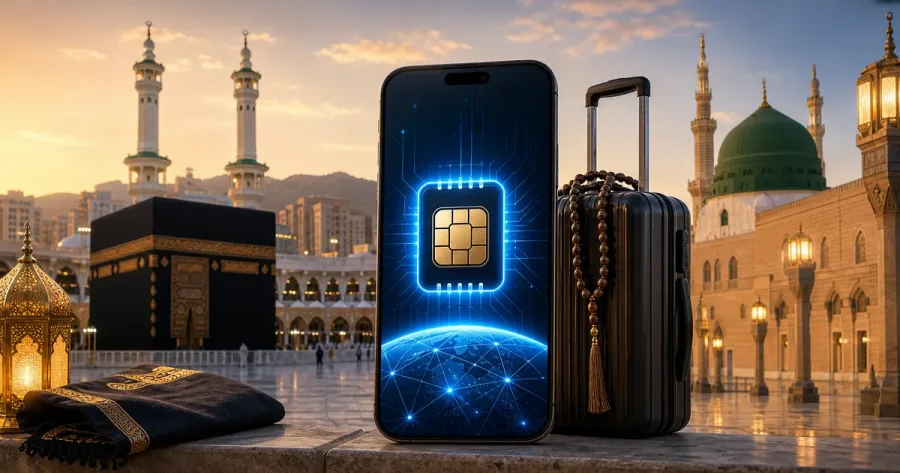
Part of our destination eSIM planning hub. New to travel eSIMs? Start with the complete setup guide for Pakistani travellers.
Travelling from Pakistan for Umrah, a Saudi eSIM is the simplest way to keep mobile data working from the moment you land in Jeddah or Madinah — without queuing for a SIM vendor or paying Pakistani roaming rates. You install it at home before you fly, keep your Pakistani number in the phone for calls and OTPs, and the eSIM carries your data around Makkah, Madinah and the roads between them. This guide covers how much data to buy, which networks the plan uses, how to set it up, and what coverage is realistically like at the holy sites.
Why a Saudi eSIM Makes Sense for Umrah
During Umrah your schedule is full and your phone does a lot of work: coordinating with your group, following your travel agent's updates, booking rides between the holy sites, navigating unfamiliar streets, and video-calling family at home. A travel eSIM means that data is ready as soon as you clear immigration.
- No airport SIM queue: install before you fly and activate on arrival, subject to the plan terms and local network availability — no hunting for a vendor while managing luggage and ihram.
- Keep your Pakistani number: your Jazz, Zong, Telenor or Ufone SIM stays in the phone for calls from family and your agent, and for banking OTPs.
- Stay with your group: steady data for WhatsApp group chats and live location sharing in crowds.
- Lower cost than roaming: a prepaid Saudi plan is usually far cheaper than switching on international roaming with a Pakistani operator. See our eSIM vs roaming cost comparison.
How Much Data Do You Need for Umrah?
Umrah trips from Pakistan commonly run 10 to 30 days. Your data use depends mostly on how often you video-call home and whether you stream Quran recitation or live feeds from the Haram. Many hotels in Makkah and Madinah include Wi-Fi, so if you will be on hotel Wi-Fi most evenings you can size down and top up later.
| Trip length | Light use (maps, chat, some calls) | Heavy use (daily video calls, streaming) |
|---|---|---|
| 7–10 days | 5–8 GB | 15–20 GB |
| 14–15 days | 10 GB | 20–30 GB |
| 21–30 days | 15–20 GB | Unlimited-data tier |
Also budget a little data for the apps a pilgrimage now relies on: the Nusuk app for permits and appointments, ride-hailing apps, Google Maps, and your airline's app for the return leg. If you are unsure, our guide on how much data you need for a week abroad walks through the maths.
Which Saudi Networks Does the eSIM Use?
Saudi Arabia has three mobile networks — STC, Mobily and Zain — all of which run 4G LTE widely and 5G in the major cities including Makkah, Madinah and Jeddah. A travel eSIM connects through one or more of these as a roaming partner; the specific partner depends on the plan you choose, so check the plan card for the named operator and its own coverage map before buying. The national regulator, the Communications, Space & Technology Commission (CST), publishes operator information and quality-of-service data.
Saudi eSIM vs Airport SIM vs Pakistani Roaming
Three ways to get data for Umrah, compared:
| Option | Setup | Typical cost | Notes |
|---|---|---|---|
| Travel eSIM | Installed at home before the flight | Low, fixed, prepaid | Data ready when you land; your Pakistani number stays active alongside it |
| Local SIM at Jeddah / Madinah airport | Bought on arrival; passport required | Low to moderate | Queue after a long flight; you swap out a physical SIM; registration can be slow in peak season |
| Pakistani SIM roaming | Enabled before travel | Highest | Convenient, but per-day or per-MB roaming charges add up quickly — check your operator's current Saudi rate |
For most pilgrims the eSIM is the calmest option: nothing to buy at the airport, the Pakistani number stays reachable, and the cost is known in advance.
Coverage at the Holy Sites
Saudi networks cover the areas around Masjid al-Haram in Makkah and Masjid an-Nabawi in Madinah with 4G and 5G, and service is generally reliable. The main thing to expect is congestion during peak times — the five daily prayers, Fridays, and especially the last days of Ramadan and the Hajj season — when very large numbers of people are online in a small area. Connectivity along the main Makkah–Madinah–Jeddah highways is good. Available technology and speed still vary by plan, device, network and exact location, so treat the plan's partner map as the reference rather than a guarantee.
How to Set Up Your Saudi eSIM Before You Fly
- Check that your phone supports eSIM and is carrier-unlocked with our compatibility checker.
- Choose a Saudi Arabia plan that matches your trip length, then confirm payment instructions, delivery timing and support channel with the official WhatsApp team.
- On home Wi-Fi, add the eSIM: Settings → Mobile/Cellular → Add eSIM → Scan QR code. Keep the QR code and instructions until the line is working.
- Label the lines: set your Pakistani SIM as default for calls and SMS, and the Saudi eSIM for mobile data.
- Turn off data roaming on your Pakistani line so it cannot run up charges.
- After you land in Jeddah or Madinah, turn on data roaming for the eSIM line only, and follow any activation step in the plan instructions.
Step-by-step versions by device: eSIM setup on iPhone and eSIM setup on Android and Samsung. Still deciding on timing? See install before the flight or after landing.
Tips for Pilgrims
- Set everything up at home so arrival day stays calm.
- Save offline maps of Makkah, Madinah and your hotel locations in Google Maps.
- Share your live location with your group leader in WhatsApp to avoid getting separated in crowds.
- Carry a power bank — heavy phone use plus heat drains batteries fast.
- Screenshot key details — hotel address in Arabic, group leader's number, flight details — in case data or battery runs out.
- One eSIM per phone. Each pilgrim who needs their own number needs their own plan; a group can still share by hotspot from one plan where the plan allows it. See can a family share one eSIM abroad.
Frequently Asked Questions
How do I choose a Saudi eSIM for Umrah?
Match the plan to your trip length and data habits: a 10–20 GB plan for a 10–15 day trip with regular video calls, or an unlimited-data tier for a longer stay. Check the named partner network on the plan card, the validity period, and whether hotspot use is allowed, then confirm the current offer with the WhatsApp team before paying.
Will a Saudi eSIM work around the Haram in Makkah and Madinah?
Yes. Saudi networks reach the areas around Masjid al-Haram and Masjid an-Nabawi with 4G and 5G. During peak prayer times the network is busier because so many people are online at once, but the service itself is reliable.
Is a Saudi eSIM better than buying a SIM at Jeddah airport?
For most pilgrims, yes — the eSIM is already installed when you land, you keep your Pakistani number in the phone, and there is no airport queue or physical SIM swap. An airport SIM can still make sense if you want a local Saudi number for the whole stay.
Does a Saudi eSIM work for Hajj as well as Umrah?
Yes, the same Saudi Arabia plans work for Hajj. Because Hajj is longer and far more crowded, choose a larger allowance or an unlimited tier and expect heavier network congestion in Mina, Arafat and Muzdalifah.
Can I keep my Pakistani number for calls from my travel agent?
Yes. The eSIM is a separate line, so your Pakistani SIM stays active for calls and OTPs while the eSIM carries your data. See keeping your Pakistani SIM active while travelling.
When should I install the eSIM?
Install it at home on Wi-Fi a day or two before you fly. Most plans let you set an activation start date or begin counting from first use in Saudi Arabia — confirm which applies to your plan so the validity period does not start early.
Does an imported phone need PTA registration before I use a Saudi eSIM for Umrah?
No. PTA device registration only governs use on Pakistani networks. In Saudi Arabia an unregistered phone connects normally, so a Saudi Arabia travel eSIM works on it for Umrah or Hajj. The phone still needs eSIM hardware and an unlocked carrier status — see eSIM for an imported phone. If you also want mobile data on that phone back in Pakistan, that is a separate question covered in the imported phone options guide.
Connectivity for an Umrah itinerary
For Umrah, data is less about streaming and more about keeping the practical parts of the journey calm: group messages, transport updates, hotel details and navigation. Set up the eSIM before travel, save important addresses as screenshots and agree on a meeting point with your group in case a phone runs out of battery.
Do not assume that every plan has the same local partner or service conditions. Saudi Arabia’s Communications, Space & Technology Commission is the relevant national authority. Check the plan’s validity period and activation instructions before your departure date.
Source used for this section: Saudi telecom regulator. Reviewed 12 August 2026. Information can change, so confirm the current plan card and ordering details with the WhatsApp team before paying.
Before purchasing: a quick accuracy check
This article is practical guidance, not a promise of network speed, availability or a particular operator. Plan prices, allowance, activation timing, partner networks and fair-use conditions can change. Check the selected offer with the WhatsApp team before paying, and keep the order conversation and installation instructions until the eSIM is working.
Install while connected to Wi-Fi. Your device needs eSIM support, an unlocked carrier status and room for another profile. On arrival, select the travel eSIM for mobile data and follow the activation instructions provided with that plan.
Our verification method explains how Simless reviews catalogue information and updates editorial pages. Use the device compatibility checker before buying.