This article is part of our complete travel eSIM guide for Pakistani travellers.
Every travel eSIM starts with the same small square image — but what actually happens when your phone scans it? Understanding the mechanics makes it much easier to troubleshoot problems, and to understand why some steps (like keeping the code private) matter.
What's Actually Inside the QR Code?
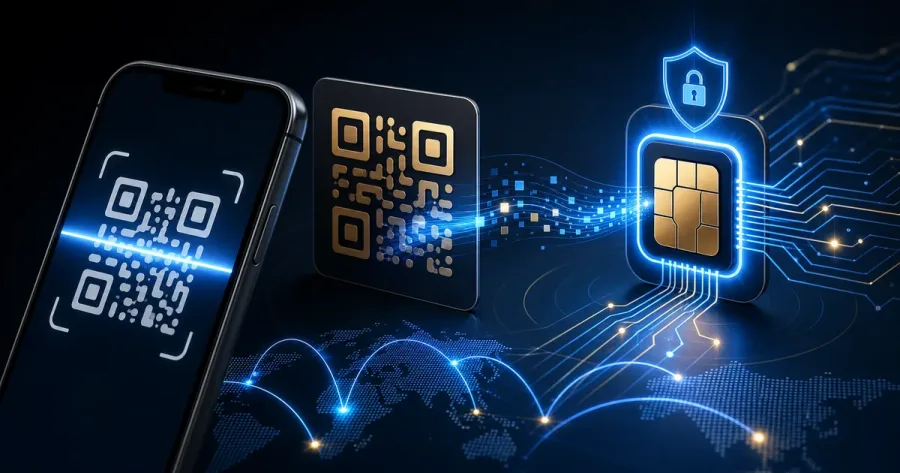
An eSIM QR code encodes an activation code — a string of text containing an address for an SM-DP+ server (the system that manages eSIM profile downloads) plus a matching code unique to your purchased plan. It's not the eSIM itself; it's essentially a set of directions your phone follows to fetch the real profile from the provider's server.
What Happens When You Scan It
- Your phone's camera or SIM-manager scanner reads the encoded text from the QR image.
- Your phone contacts the SM-DP+ server address embedded in that code, over Wi-Fi or existing mobile data.
- The server verifies the activation code is valid and unused, then sends your phone's built-in eSIM chip (the eUICC) the actual carrier profile — network settings, security keys, and your data allowance.
- The profile installs directly onto the eUICC chip inside your phone — there's no physical card, and nothing is stored insecurely in an app.
Why Is the Code (Usually) Single-Use?
Because the activation code is tied to one specific data plan and gets marked "used" by the SM-DP+ server the first time it's successfully redeemed, the same QR code generally can't install the same profile on a second device afterward. This is a deliberate anti-fraud measure — it stops a purchased plan being copied and installed on multiple phones.
Why You Should Never Share Your QR Code
Since the code itself is what "spends" the eSIM profile, anyone who has the image — a screenshot forwarded in a group chat, for example — could install your paid plan on their own phone first. Keep the confirmation email and QR image private, exactly as you would a payment confirmation.
QR Code vs Manual Activation Code — When to Use Each
If you're viewing the QR code on the same phone you're trying to install it on, you obviously can't scan your own screen. In that case, use the "Enter Details Manually" option in your eSIM installer and type the activation code (found in the same confirmation email) instead — it achieves exactly the same result as scanning.
Frequently Asked Questions
Can I reuse the same eSIM QR code on a second phone?
Generally no — most eSIM QR codes are single-use and bind the profile to the first device that installs it. If you get a new phone, you'll usually need a new eSIM plan rather than reinstalling the same QR code.
Is it safe to screenshot or share my eSIM QR code?
Treat it like a password. Anyone with the image can potentially install your paid data profile on their own device before you do, using up your allowance. Keep it private until you've installed it yourself.
What is an activation code and how is it different from the QR code?
The activation code is the same underlying data as the QR code, just in text form. If you can't scan the QR code (for example, viewing it on the same phone you're installing it on), you can type the activation code manually instead.
Does the QR code itself use any of my data allowance?
No. Scanning and installing the profile just downloads a small configuration file — it doesn't count against your data plan, which only starts being used once you connect to a network abroad.
Treat the QR code like a credential
The QR image is part of an activation process, so keep it private and install it with a dependable connection. If you are reading the email on the same phone, use the manual activation details supplied by the provider instead of trying to scan your own screen. Do not delete the confirmation until the new line is working.
The exact screens differ by handset. Consult Apple’s eSIM guidance or Google’s Pixel guidance for your device, and use the activation details supplied for your own plan.
Source used for this section: Apple and Google eSIM setup guidance. Reviewed 12 August 2026. Information can change, so confirm the current plan card and ordering details with the WhatsApp team before paying.
Before purchasing: a quick accuracy check
This article is practical guidance, not a promise of network speed, availability or a particular operator. Plan prices, allowance, activation timing, partner networks and fair-use conditions can change. Check the selected offer with the WhatsApp team before paying, and keep the order conversation and installation instructions until the eSIM is working.
Install while connected to Wi-Fi. Your device needs eSIM support, an unlocked carrier status and room for another profile. On arrival, select the travel eSIM for mobile data and follow the activation instructions provided with that plan.
Our verification method explains how Simless reviews catalogue information and updates editorial pages. Use the device compatibility checker before buying.